
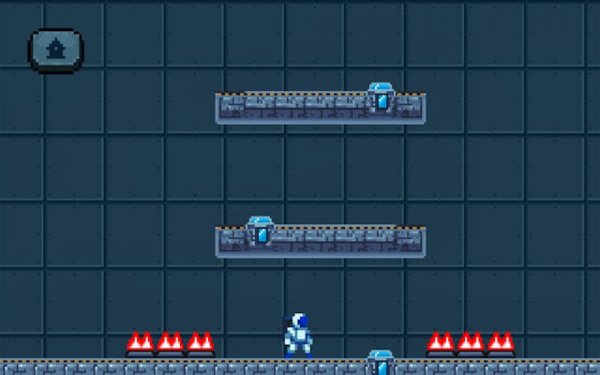
Telejump Pixel: Teleport Puzzle Platformer
Reviews
Telejump Pixel stands out with its teleport mechanic that adds a new layer to platform puzzles. The 20 levels are well-designed, each requiring a different approach. The controls are responsive, and the lack of time pressure lets you think carefully. It is a relaxing but engaging game that offers good replay value as you try to optimize your moves. The pixel art is charming and clean.
About this game
Game Introduction
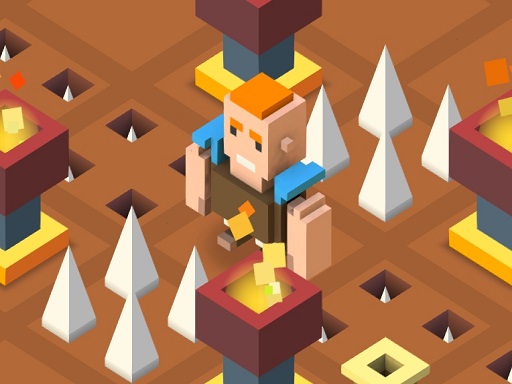
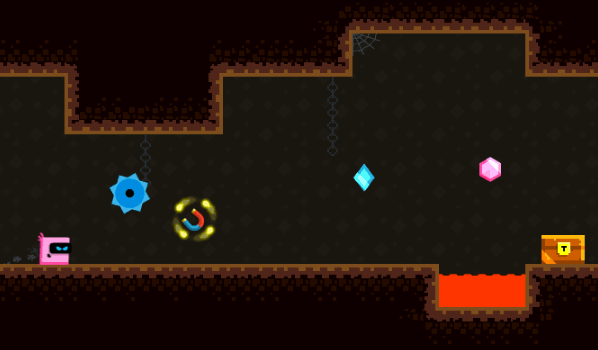
Telejump Pixel is a puzzle-platformer game that blends classic platforming action with a creative teleport mechanic. Players guide a small pixel character through various levels, aiming to reach the exit safely. The path is often blocked by wide gaps, tall walls, or hazards that cannot be crossed with a normal jump. To succeed, players use teleport discs that allow instant movement from one spot to another. The game offers multiple levels with increasing difficulty, encouraging careful planning and quick reflexes. The bright pixel art style and simple controls make it accessible for all ages.
How to Play
Players typically use arrow keys or on-screen touch controls to move and jump. When facing an obstacle that cannot be crossed, they can place a teleport disc on a safe spot on their side. Then they move to the other side of the obstacle and activate the disc to teleport back, bypassing the obstacle. Multiple teleports can be chained together to solve more complex puzzles. There is no time limit, so players can think through each move. The goal is to reach the exit without falling off platforms.
Game Features
Features include multiple handcrafted levels with unique layouts. A simple one-button teleport mechanic adds a fresh twist to platforming. Bright and charming pixel art graphics create a welcoming visual style. The game supports cross-device play on desktop and mobile. It is family-safe with no violence or inappropriate content, suitable for all ages.
Tips for Success
Take your time to observe each level before moving. Plan your teleport placements carefully to avoid falling. Practice chaining teleports to overcome complex obstacles. Experiment with different strategies if you get stuck. Regular play will help you improve your reflexes and puzzle-solving skills.
✅ Compatibility & Testing
All games on this site are manually tested on: • Desktop (Windows 11, macOS Ventura) • Mobile (iPhone 14, Samsung Galaxy S23) • Tablet (iPad Pro, Android tablet) 📌 Supported browsers: Chrome, Safari, Edge, Firefox (latest versions) 📌 Not supported: Internet Explorer, older browser versions





























Leave a comment