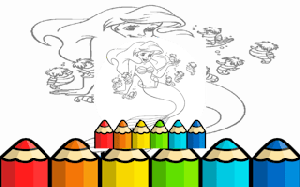
Players open the application in a web browser and browse a collection of outlined images. Each picture presents a clean canvas ready for customization. The color palette sits on the side, offering a wide range of hues. A simple tap or click selects a shade, and the brush follows the cursor to apply it. For larger spaces, the fill bucket spreads color instantly across connected areas.
Different brush widths allow for thick strokes or fine lines, giving control over how much area gets covered. The eraser removes unwanted marks without affecting the rest of the drawing. An undo button reverses the last action, while a redo option restores it. These features let children try new combinations without worrying about permanent mistakes.
The layout keeps buttons large and labels clear, so even first-time users can navigate independently. No timers or scores create pressure, which makes the experience suitable for relaxed play. The artwork library includes simple shapes and familiar subjects, helping beginners build confidence before attempting more complex images.
Because the game does not restrict color choices, children can paint a sky purple or a tree blue if they wish. This freedom supports imaginative thinking and personal expression. Parents appreciate the safe environment where no external content or advertisements interrupt the activity.
While designed with younger audiences in mind, the straightforward mechanics also attract older users looking for a calming pastime. The lack of rules or objectives means anyone can participate at their own pace. This makes the tool equally useful for quiet afternoons at home or as a classroom resource.








Player Comments
Sign in to comment
You must be logged in before posting a review or rating.
No account? Create one
No comments yet. Be the first to comment!